


We have introduced a new enhancement to Shopcada POS: discount code application at checkout.
Cashiers can now enter and apply eligible discount codes directly in the POS checkout flow. The system will validate the code and instantly apply the configured discount.
This improves discount accuracy, reduces manual mistakes, and aligns POS promotions with web-based campaigns.
How to Apply Discount Code During POS Checkout
Open the Checkout Page
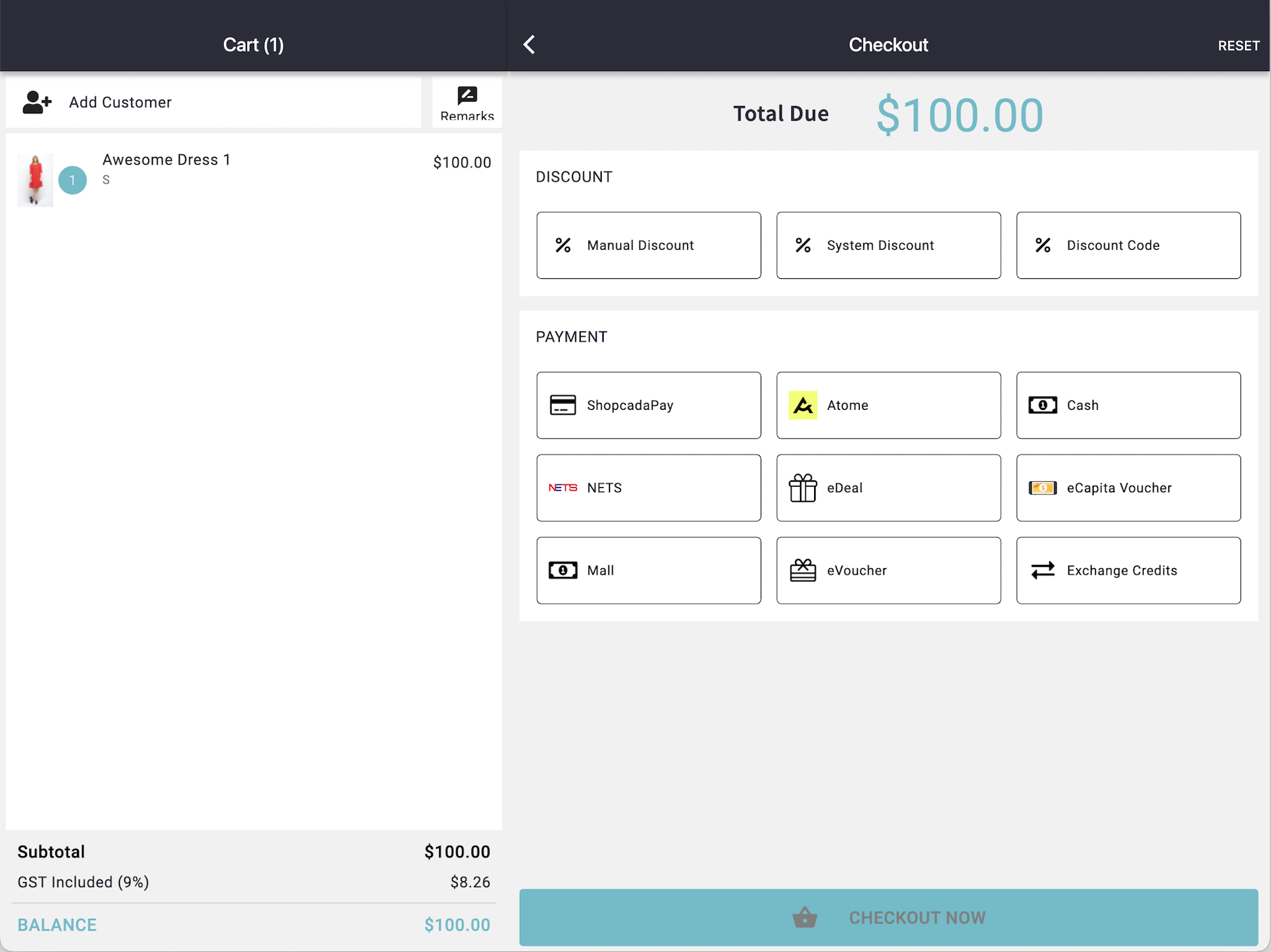
- The cashier adds items to the cart and proceeds to Checkout.
- Under the Discount section, tap Discount Code.
Enter Discount Code and Apply
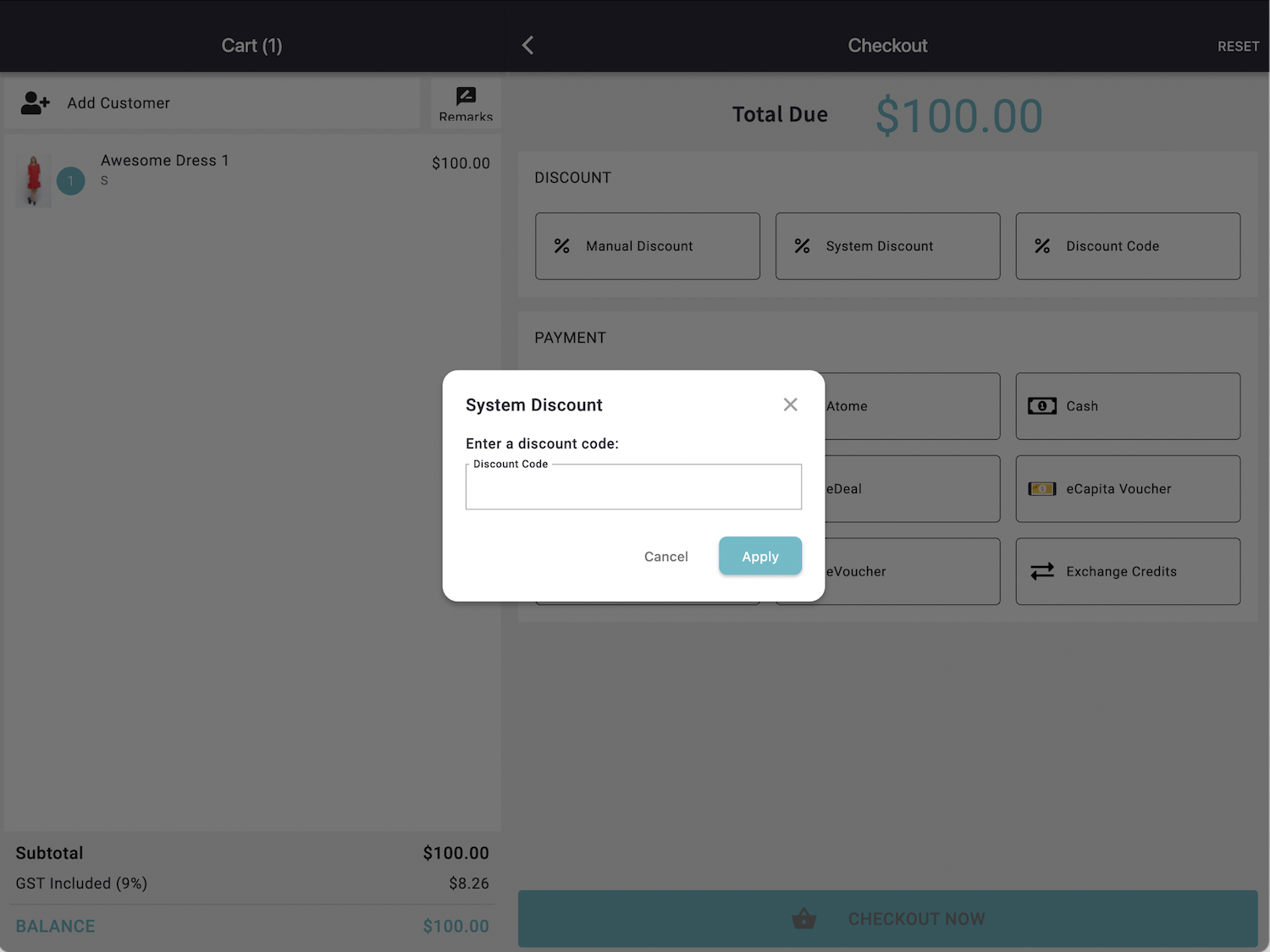
- Type the discount code and select Apply.
- If the code is valid, the discount will be applied automatically based on the campaign settings configured in the Discount Manager.
Discount Successfully Applied
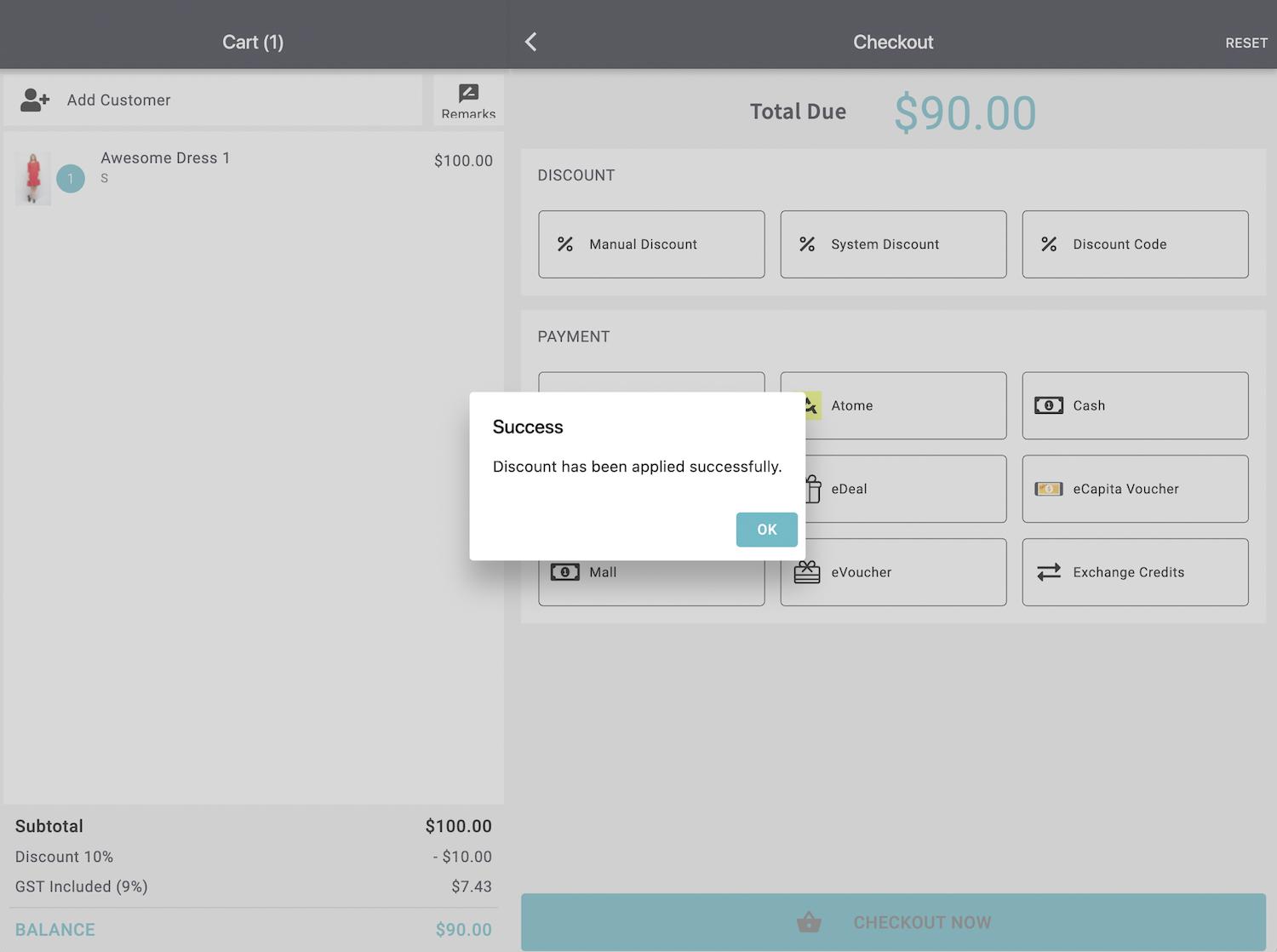
- A confirmation message will appear, and the cart summary will reflect the updated amount.
Key Benefits
- POS and Web promotions are now unified
- Faster and more accurate discount application
- Consistent customer experience across all channels
- Reduced manual discount errors
